Idea Widget Grid
An interactive, grid-based tool for creativity and productivity that allows users to capture, organize, and display ideas in a highly visual, customizable format.
Purpose
Idea Widget Grid was born from the belief that the medium is the message. It imagines the future of social media through the lens of early-internet creativity. Blending Pinterest’s vision-board aesthetics, Tumblr’s micro-blogging spirit, Twitter/X’s real-time pulse, and MySpace-era design freedom, it offers a platform that’s simple yet powerful, structured yet customizable: putting true creative control back in the hands of users.Build
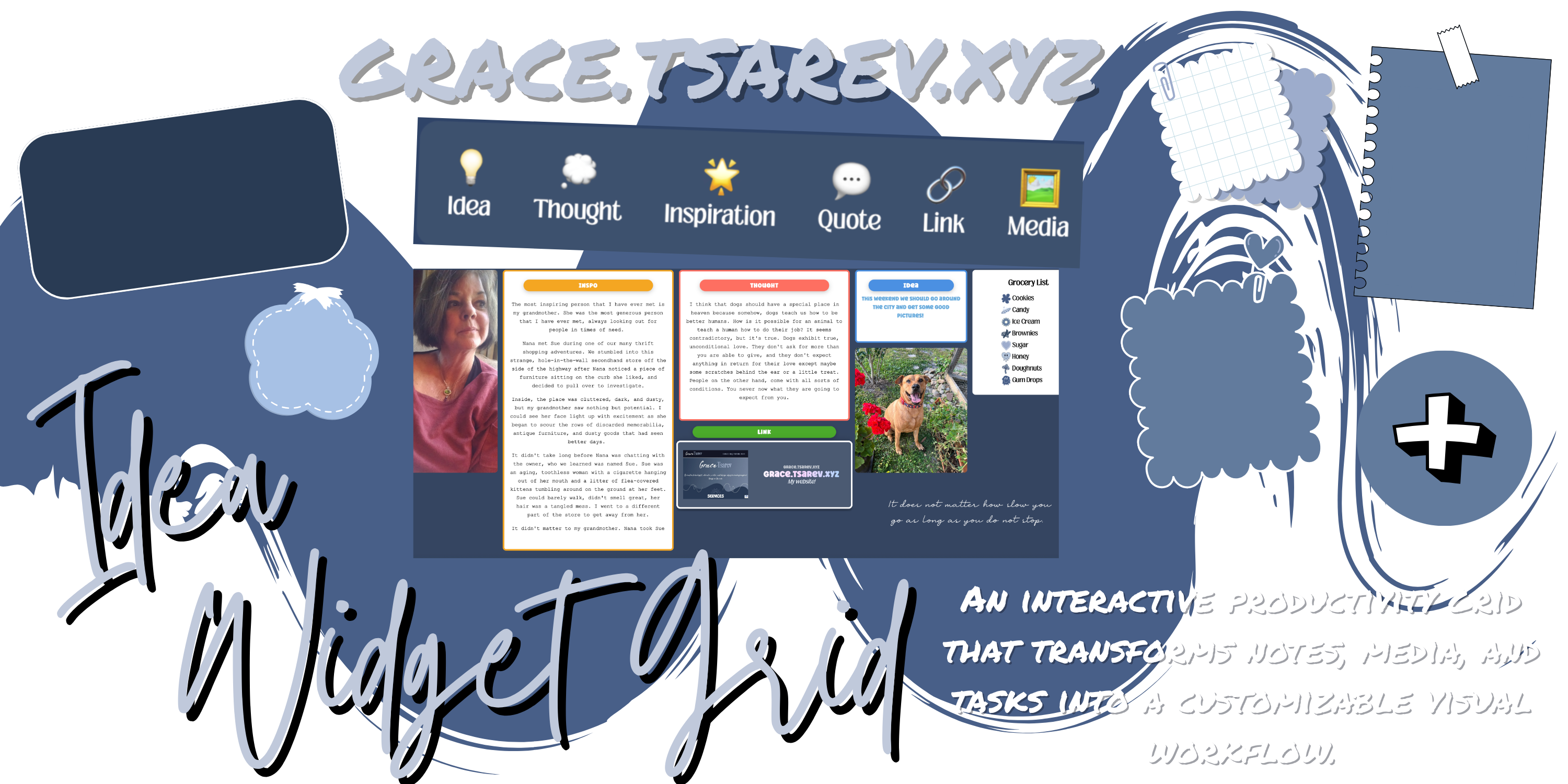
Powered by three unique widgets with their own capabilities, Idea Widget Grid provides the user with creative flexibility and interesting ways to organize their information.
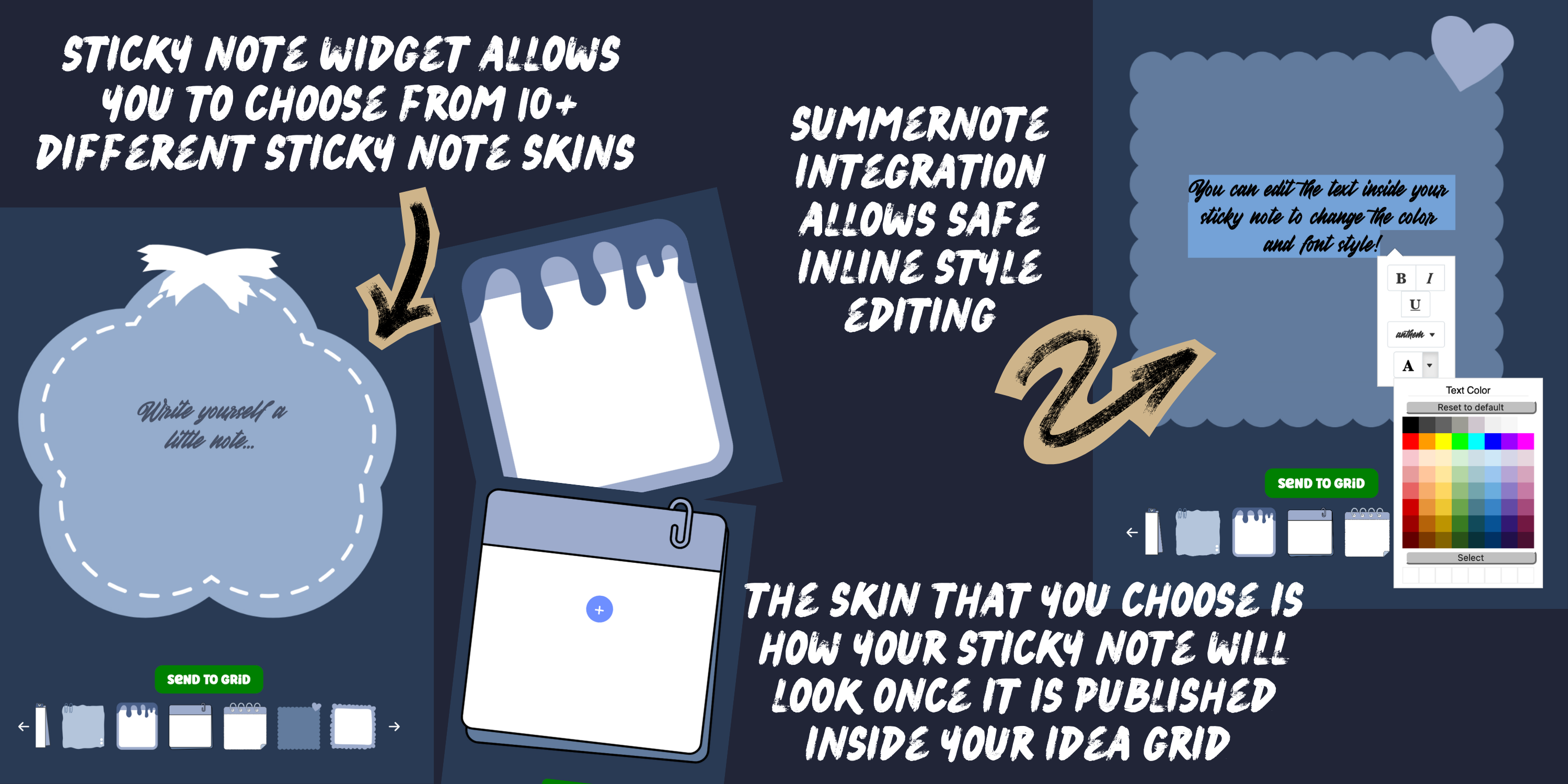
The first widget is a sticky-note. This program allows users to set reminders for themselves and leave small notes. The sticky note widget comes with a variety of different "swatches" to choose from, which changes the appearance of the sticky note. This means that users can have several different types of sticky notes inside their post grid, making the experience more fun, customizable, and aesthetically pleasing.
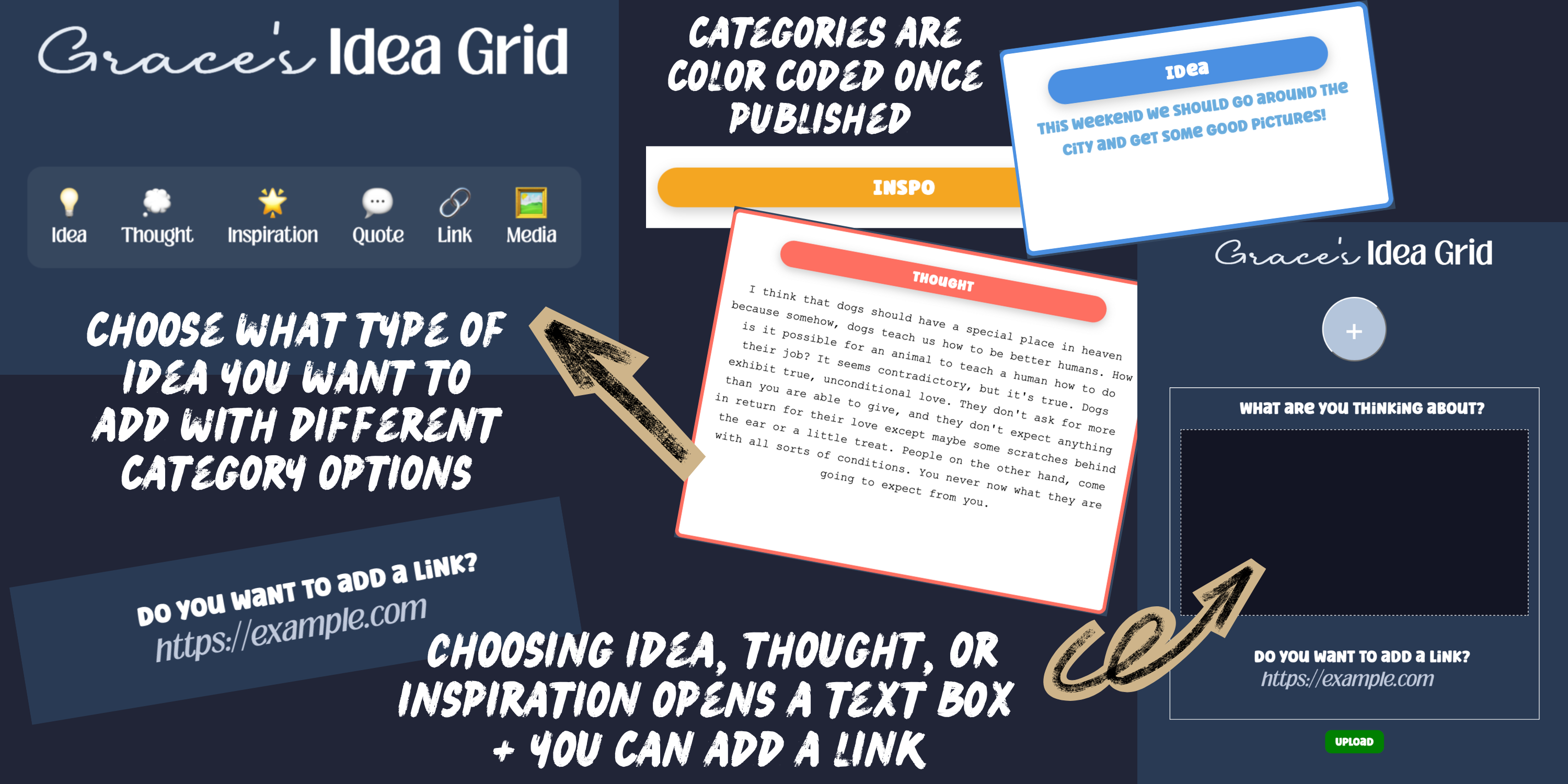
The star of the system, situated directly in the middle of the creation menu, is a large "+" button, which serves as Idea Widget Grid's second and most primary widget. The "+" button, when pressed, presents the user with a menu of new options for different types of posts that can be created. Choose from options like "thought", "idea", "inspiration", "quote", "link", or "multimedia" to enable you to create various types of content.
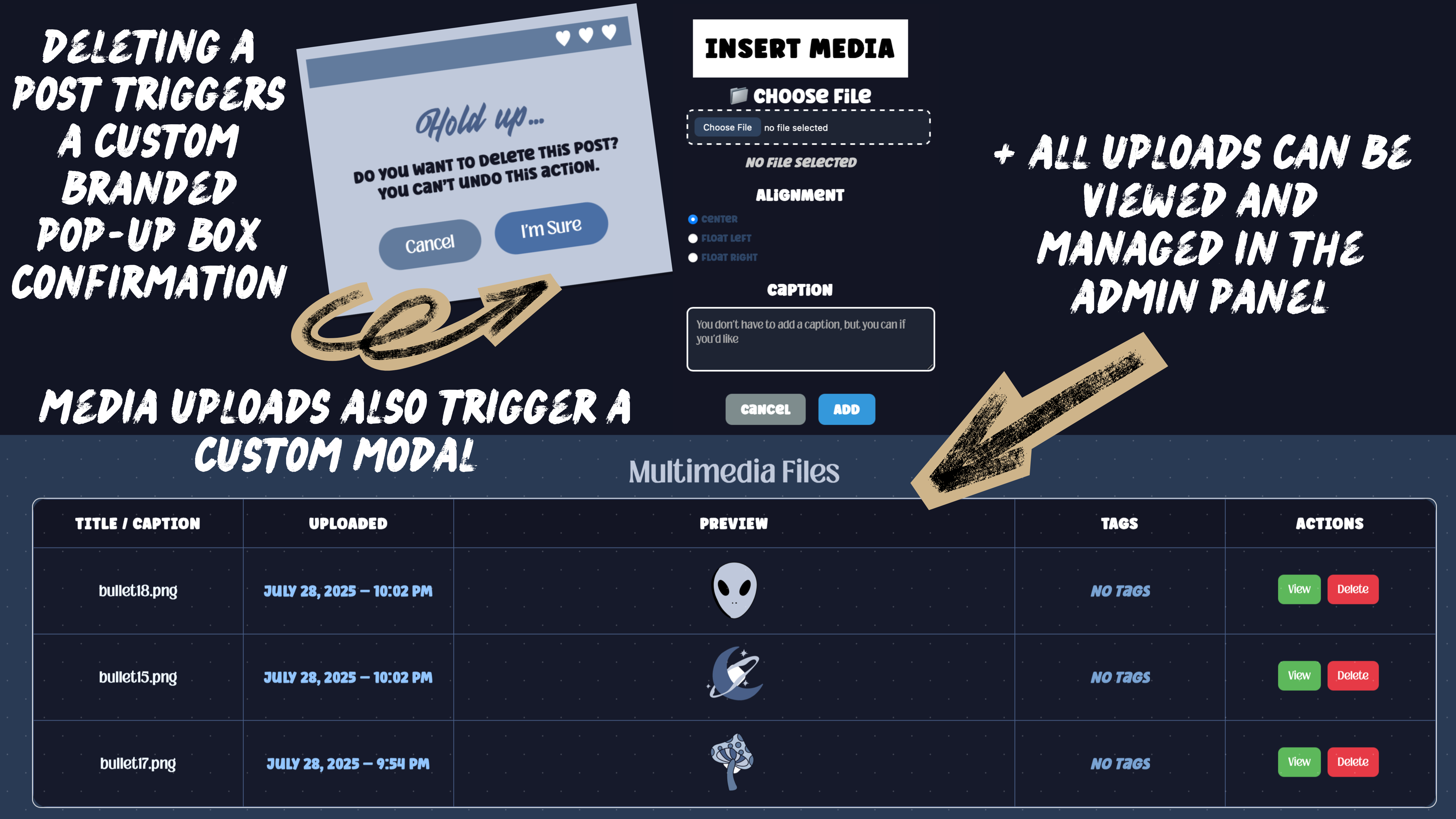
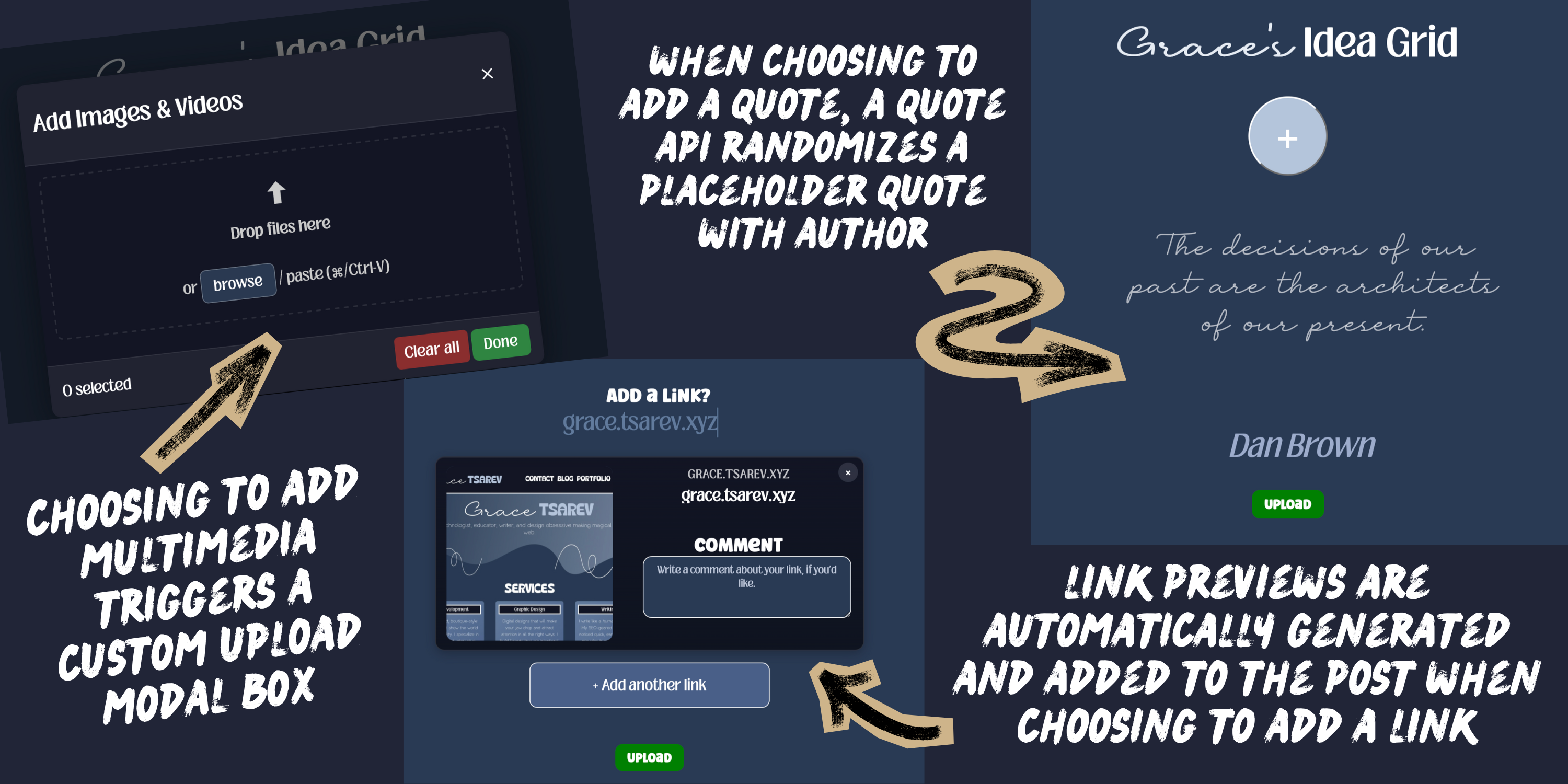
Each content type found within this widget has it's own structure, requirements, and action flows. Choosing to add a multimedia post presents the user with a custom file uploader for them to choose a multimedia file directly from their device, while choosing to upload a quote leads them to another screen where they can input the quote and the source. The quote uploader uses a free famous quotes API that automatically populates a popular quote inside the user fields as a placeholder for their quote.
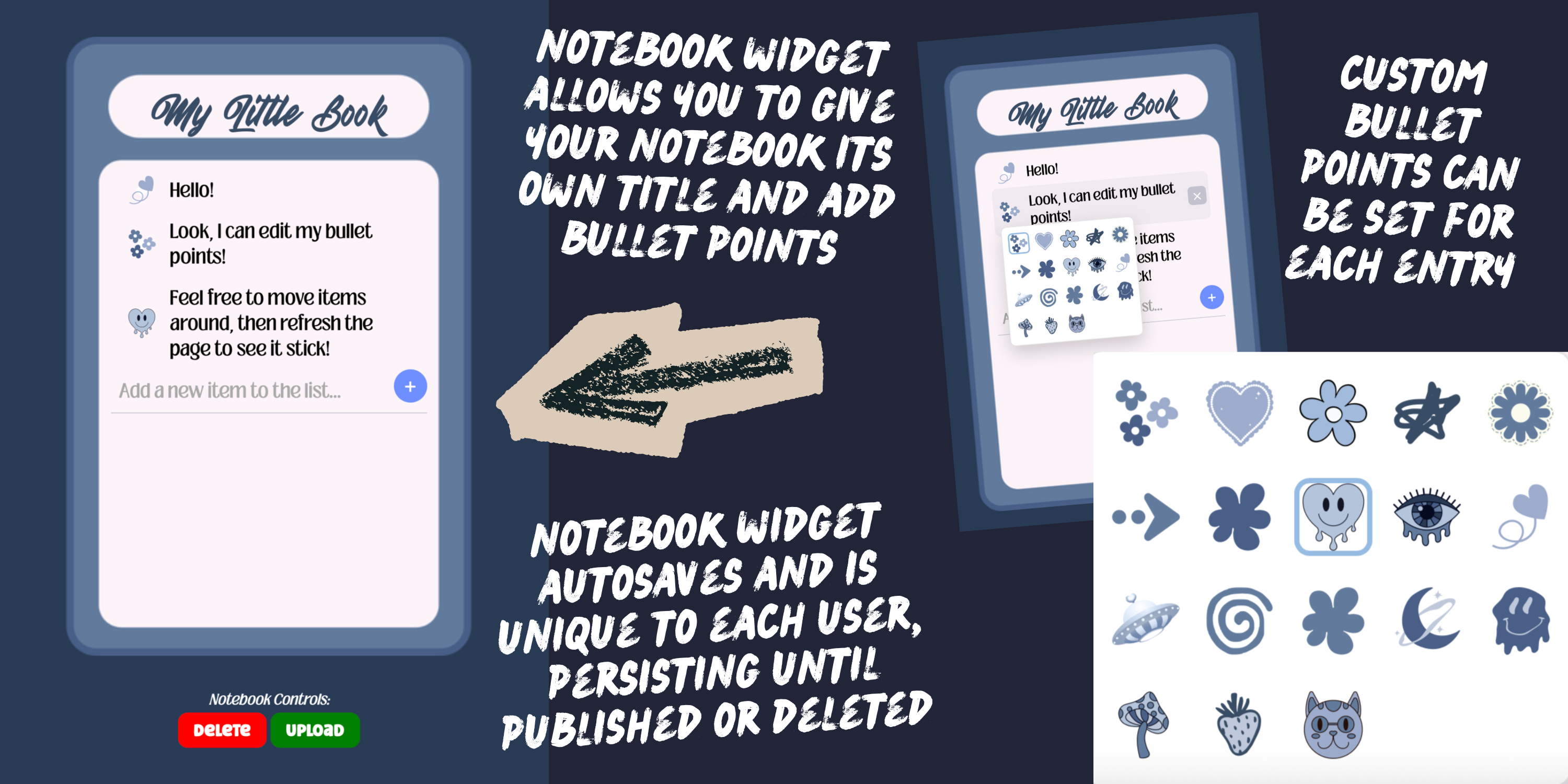
The final widget powering Idea Widget Grid is the notebook widget. Create bulleted lists and customize the bullet points themselves to stay organized. Change notebook titles, maintain lists, and add as many notebooks as you would like to your own post grid. The noteboook widget autosaves and repopulates on page reload, functioning not only as a post creation tool, but a powerful utility to help keep track of important notes and details.
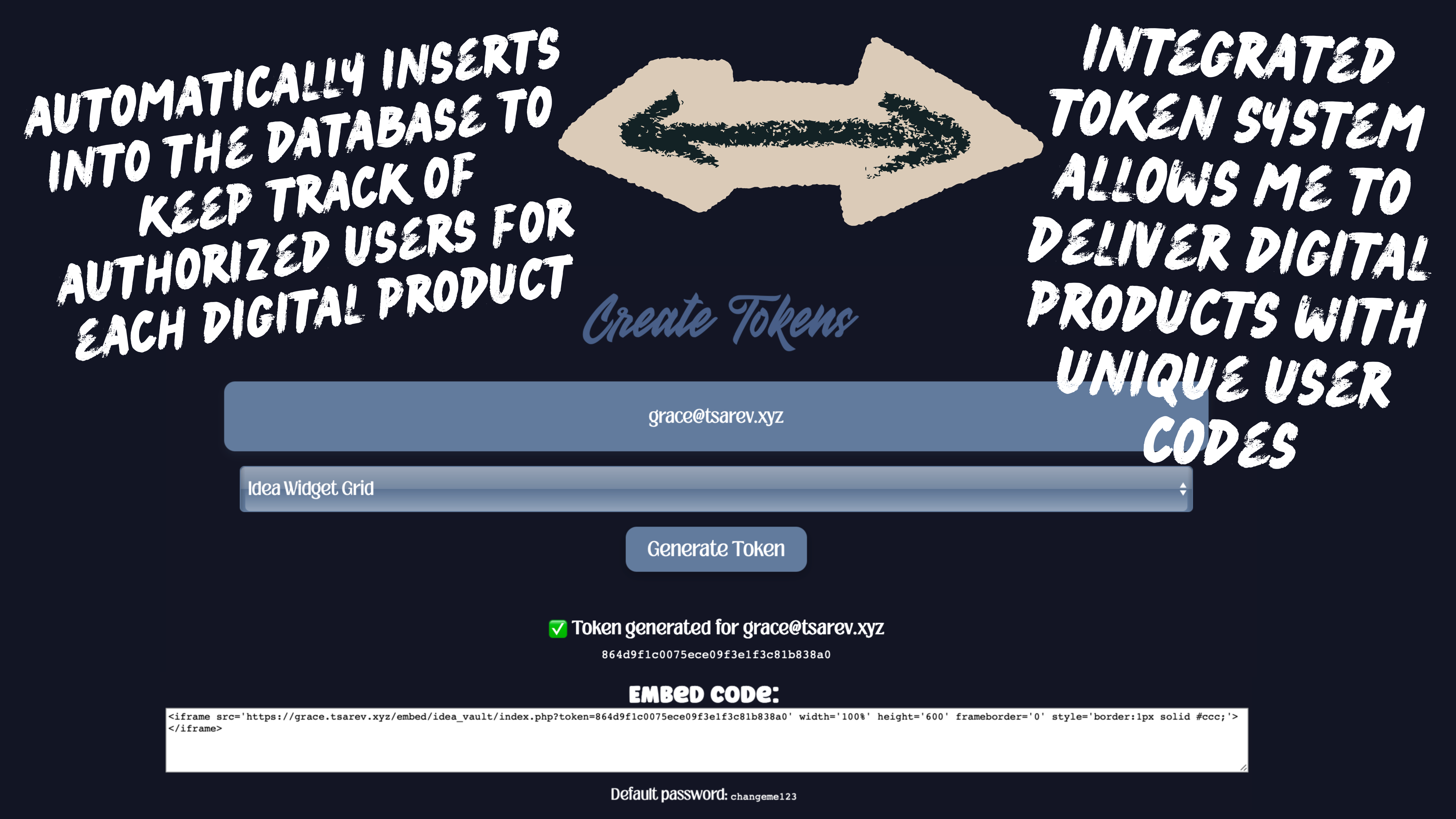
The backend was built with PHP and MySQL, using REST-style endpoints to handle the creation, updating, and retrieval of widget data. Security was a core consideration throughout development, with session-based authentication, CSRF protection, and prepared statements used to safeguard user data. Users can authenticate either through a secure token when embedding the grid inside an iFrame on their own servers, or by creating an account and accessing their grid directly through the platform.
The interactive grid system that is created as users add posts was implemented using GridStack.js, enabling a fully drag-and-drop experience with support for resizing, repositioning, and reorganizing widgets. Layout changes are persisted across sessions through real-time synchronization with the server, ensuring that each user’s workspace remains consistent and reliable.
All styling was custom designed by me, from the visual structure of the grid and widgets to modal layouts and interaction states. Particular attention was paid to responsive behavior, allowing the grid to adapt seamlessly across desktop and mobile devices. The interface includes thoughtful UI enhancements such as personalized theme settings, API-powered placeholders, and subtle transition animations that improve usability without overwhelming.
Visual assets used throughout the grid, including sticky note textures, background swatches, and custom bullet imagery, were designed by me using Canva to maintain a cohesive and friendly aesthetic.
Inline content editing is powered by a customized Summernote integration, allowing users to edit text directly within widgets via lightweight contenteditable fields. Changes are automatically saved and synced to the database on blur events, eliminating the need for explicit save actions and keeping the experience fluid.
The widget system itself was designed with a modular architecture, allowing new widget types — such as notes, quotes, links, multimedia elements, and notebooks — to be added easily without disrupting existing functionality. This approach keeps the platform flexible, extensible, and well-suited for future expansion.
The first widget is a sticky-note. This program allows users to set reminders for themselves and leave small notes. The sticky note widget comes with a variety of different "swatches" to choose from, which changes the appearance of the sticky note. This means that users can have several different types of sticky notes inside their post grid, making the experience more fun, customizable, and aesthetically pleasing.
The star of the system, situated directly in the middle of the creation menu, is a large "+" button, which serves as Idea Widget Grid's second and most primary widget. The "+" button, when pressed, presents the user with a menu of new options for different types of posts that can be created. Choose from options like "thought", "idea", "inspiration", "quote", "link", or "multimedia" to enable you to create various types of content.
Each content type found within this widget has it's own structure, requirements, and action flows. Choosing to add a multimedia post presents the user with a custom file uploader for them to choose a multimedia file directly from their device, while choosing to upload a quote leads them to another screen where they can input the quote and the source. The quote uploader uses a free famous quotes API that automatically populates a popular quote inside the user fields as a placeholder for their quote.
The final widget powering Idea Widget Grid is the notebook widget. Create bulleted lists and customize the bullet points themselves to stay organized. Change notebook titles, maintain lists, and add as many notebooks as you would like to your own post grid. The noteboook widget autosaves and repopulates on page reload, functioning not only as a post creation tool, but a powerful utility to help keep track of important notes and details.
The backend was built with PHP and MySQL, using REST-style endpoints to handle the creation, updating, and retrieval of widget data. Security was a core consideration throughout development, with session-based authentication, CSRF protection, and prepared statements used to safeguard user data. Users can authenticate either through a secure token when embedding the grid inside an iFrame on their own servers, or by creating an account and accessing their grid directly through the platform.
The interactive grid system that is created as users add posts was implemented using GridStack.js, enabling a fully drag-and-drop experience with support for resizing, repositioning, and reorganizing widgets. Layout changes are persisted across sessions through real-time synchronization with the server, ensuring that each user’s workspace remains consistent and reliable.
All styling was custom designed by me, from the visual structure of the grid and widgets to modal layouts and interaction states. Particular attention was paid to responsive behavior, allowing the grid to adapt seamlessly across desktop and mobile devices. The interface includes thoughtful UI enhancements such as personalized theme settings, API-powered placeholders, and subtle transition animations that improve usability without overwhelming.
Visual assets used throughout the grid, including sticky note textures, background swatches, and custom bullet imagery, were designed by me using Canva to maintain a cohesive and friendly aesthetic.
Inline content editing is powered by a customized Summernote integration, allowing users to edit text directly within widgets via lightweight contenteditable fields. Changes are automatically saved and synced to the database on blur events, eliminating the need for explicit save actions and keeping the experience fluid.
The widget system itself was designed with a modular architecture, allowing new widget types — such as notes, quotes, links, multimedia elements, and notebooks — to be added easily without disrupting existing functionality. This approach keeps the platform flexible, extensible, and well-suited for future expansion.